Checklist
I have read intro post: https://community.passbolt.com/t/about-the-installation-issues-category/12
I have read the tutorials, help and searched for similar issues
I provide relevant information about my server (component names and versions, etc.)
I provide a copy of my logs and healthcheck
I describe the steps I have taken to trouble shoot the problem
I describe the steps on how to reproduce the issue
I am using debian 13.1.0, when i finished the installation and the url is shown in the terminal, i can not access it. Besides, the /var/passbolt/passbolt.php is not created i only have passbolt-default.php.
I have deleted passbolt 3 times and reconfigure it, but in vain the same problem and it’s persistent.
How can i fix it ? I have already tried all the issues reported but with no result.
G’day TecAddict.
Are you following this documentation:
https://www.passbolt.com/docs/hosting/install/ce/debian/
I just ran through the installer and it is working as expected.
Did you select no TLS?
Are you doing any port forwarding?
Is it a local domain name such as http://passbolt.local which will require you to add entries to your local Hosts file?
The passbolt.php file is not created until you go to the web interface and finish the configuration so that’s normal.
I’m happy to help you figure this out.
Cheers
Gareth
Hello Gareth,
Yes i have followed the documentation and unfortunately without a result.
No tls, no port forwarding, the domain is the @ip address of the machine. As i mentioned before, in /var/passbolt/passbolt.php is not present i only have passbolt-default.php.
It seems like the installation is not taking effect at all in the end, even i tried to delete all the tool and the files related and reinstalled it but in vain .
What do you suggest to do ?
FYI : i have tried the tool in my vm and it’s wkg perfectly however this issue is present in real environment for my team in corporate. The debian iso is fresh installed.
Hi TecAddict.
More information about the errors you’re seeing is going to help.
I would strongly recommend using a hostname and not an IP for your setup as it’s easy to point a hostname to a new IP but more difficult to set a specific IP and passbolt does host checking in the browser extension. So any change of the fullBaseUrl will require an account recovery by users if the IP changes.
note: /etc/passbolt/passbolt.php is not created until you complete the web setup.
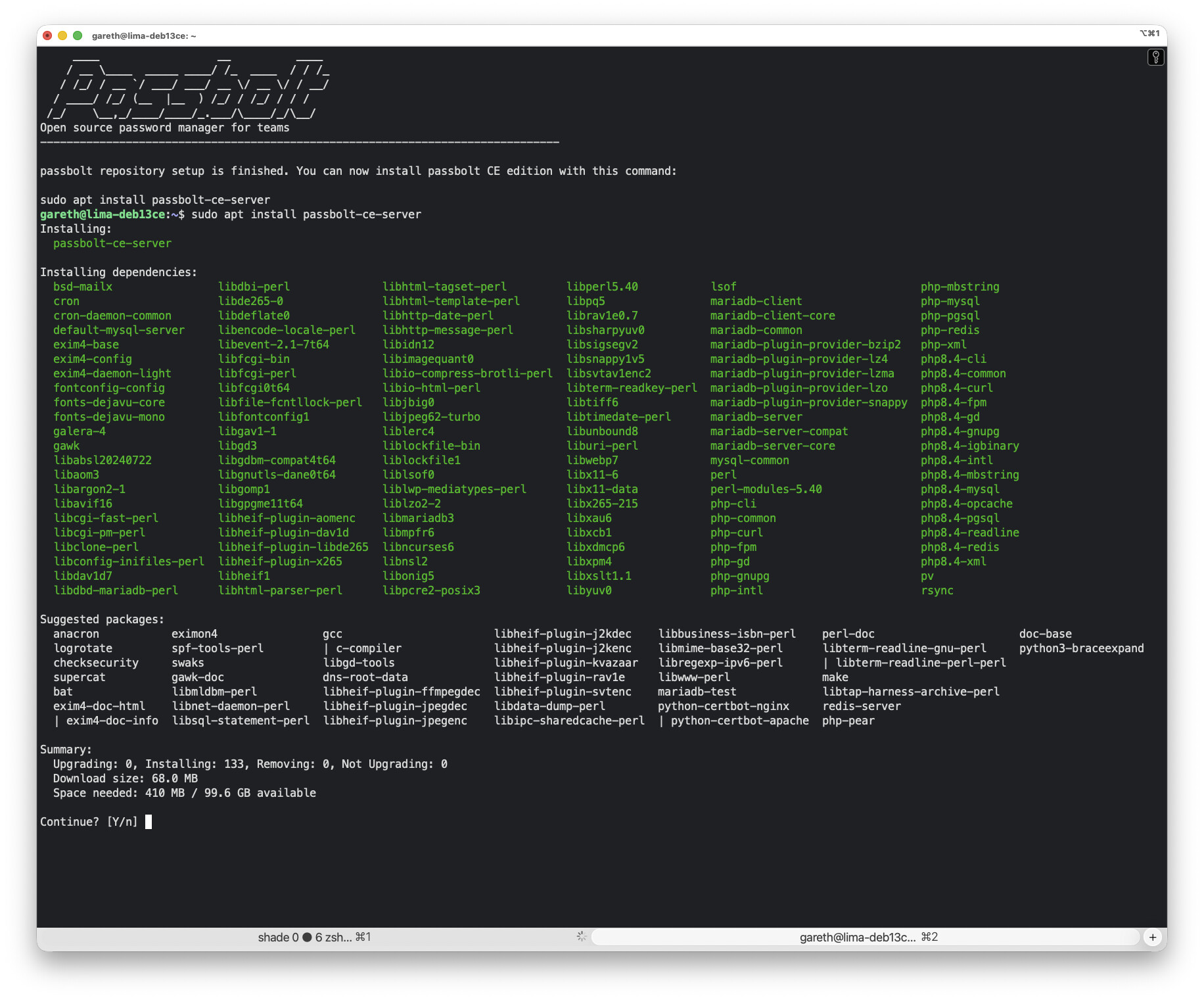
I installed passbolt CE 5.6.0-1 on Debian 13.1 following the documentation I linked. I give you an example below.
After you run the dependency script and install the prerequisites you should get to the prompt where you can install the passbolt package.
From there you can set database creds and choose your hostname.
Now you’re ready to go to http://passbolt.local to finish setup.
And from there just follow the prompts and fill with the correct data.
note: I’m using a locally port forwarded instance. Which is fine as I will set the server fullBaseUrl later in the web setup to http://passbolt.local:7080 and that works fine. It’s just the nginx setup when installing the package that wants the hostname without any http/port details.
Let me know where you’re seeing errors.
Cheers
Gareth
Hey gareth,
Thank u for your quick reply !
I tried again as you mentioned, but i can’t access the url, is not loading .
ERR_CONNECTION_TIMED_OUT
Sorry for the delay TecAddict.
That’s going to be something on your networking side.
As the old adage goes “it was DNS”. So check your path from the device to the server.
Can you ping?
Can you curl https://passbolt.example.com
Let me know if you want more help with that.
Cheers
Gareth
Thanks Gareth for your reply,
Actually, the probleme was in the Debian iso file, because a strange behaviour was detected during the process of installation.
I used the Debian 12 and it’s working like a charm now !
Sincerly,